Memory Unit Converter
Every memory measurement — from a single bit to a Yottabyte — is 1024 times its smaller neighbour. Type a value and pick its unit to see it converted instantly.
Unit Converter
● liveProgram Execution Cycle
Every instruction a CPU runs passes through the same sequence of steps. Click through the cycle below to see what happens at each stage.
Instruction Cycle Walkthrough
● live—
Components of a Computer System
A computer system is broadly divided into hardware (the electro-mechanical physical parts) and software (the programs executed on it). Software is further split into system software and application software.
System Software
Interacts directly with hardware and gives users a human-friendly environment. Examples: operating systems (Linux), compilers (GCC), interpreters (Python), and device drivers.
Application Software
Designed to support routine user tasks — accounting software, text processors, browsers, games. They mostly use OS mechanisms and rarely touch hardware directly.
Five Functional Units of a Computer
Input Unit
Mouse, keyboard, microphone — brings data into the computer.
CPU (CU + ALU + Registers)
The Control Unit, Arithmetic Logic Unit, and registers — the working engine of the system.
Output Unit
Monitor, printer, speakers — sends processed information back out.
Primary Memory (RAM)
Fast, temporary storage that works closely with the CPU during execution.
Secondary Memory
Permanent storage — hard disks, SSDs — that doesn't need power to retain data.
Cache Memory
A high-speed buffer, often inside the CPU chip, that stores frequently used data and instructions.
Processor, Motherboard, Ports & Expansion Slots
The CPU is the "brain" of the computer, plugged into the motherboard — the large circuit board that ties every component together.
Central Processing Unit (CPU)
An integrated circuit with millions of transistors on a single silicon chip — also called a microprocessor. Performs all operations, controls activities, and coordinates tasks. Common examples: Intel Core i3/i5/i7/i9, Apple M-series, AMD Ryzen (desktop/laptop); Apple A-series, Snapdragon, MediaTek (smartphones/tablets), as on 2025.
Heterogeneous Computing
GPU — thousands of simple processors for parallel calculations (graphics, AI training). TPU — built specifically for neural network math. NPU — handles on-device AI tasks efficiently in smartphones and laptops.
Motherboard
A large Printed Circuit Board (PCB) that integrates the CPU, memory slots, and expansion slots. Communication between CPU, memory, and peripherals happens via buses; all operations are synchronised by the system clock. The BIOS chip, which starts the computer and manages initial hardware configuration, is also on the motherboard. Smartphone motherboards integrate the CPU, RAM, and storage onto one compact board.
Common Ports
| Port | Purpose |
|---|---|
| USB | Most widely used — keyboards, mouse, drives, printers, phones. Latest: USB Type-C (2025) |
| HDMI | Video + audio to monitors, TVs, projectors through a single cable |
| Ethernet / LAN | Wired network connectivity via RJ45 connector |
| Audio Port | Headphones, speakers, microphones, home theatre systems |
| Thunderbolt | High-speed Intel/Apple interface for external storage and monitors |
| VGA | Analog video signal to a display device |
| Display Port | High bandwidth — high resolutions, refresh rates, multiple monitors |
Expansion Slots
PCI Express (PCIe)
Current standard — high-speed communication between motherboard and expansion card.
M.2 Slot
Smaller, modern slot (often via PCIe) mainly used for high-speed SSDs or wireless network cards.
AGP
Older, legacy slot for dedicated graphics cards before PCIe became widespread.
Memory
Memory stores data, instructions, and results — temporarily or permanently. It is classified as volatile (needs power) or non-volatile (retains data without power), and as primary or secondary based on how directly the CPU can access it.
Volatile Memory
Needs continuous power; contents are lost if power is removed. Examples: RAM, cache memory, registers.
Non-Volatile Memory
Retains data even when power is off. Examples: ROM, hard disk, pen drive, memory card.
(i) Primary Memory — RAM & ROM
RAM (Random Access Memory)
Temporarily stores data/instructions while a program executes. Volatile. Speed measured in MHz. Holds the OS, running applications, and data currently being processed.
ROM (Read Only Memory)
Non-volatile — holds the BIOS, which performs Power-On Self-Test (POST) and loads the OS into RAM. Types: PROM (write once), EPROM (erase with UV light), EEPROM (electrically erasable, multiple times).
Cache Memory Levels
L1 Cache
Closest to the CPU — extremely fast, but small.
L2 Cache
Larger than L1, slightly slower, still faster than main memory.
L3 Cache
Shared among cores in multi-core processors — larger and slower than L2.
When the CPU finds the data it needs already in cache, it's called a cache hit — much faster than fetching from RAM.
(ii) Secondary Memory
| Type | Technology | Examples |
|---|---|---|
| Magnetic Storage | Magnetised surface read/written by a magnetic head; slower but large capacity, low cost | Hard Disk Drive (HDD) |
| Optical Storage | Laser reads/writes pits and lands on a reflective surface; portable, inexpensive, declining in use | CD, DVD, Blu-ray Disc |
| Solid State Storage | Flash memory (a type of EEPROM); no moving parts, uses electrical signals | SSD, USB Flash Drive |
Memory Measurement Units
| Unit | Equals | Unit | Equals |
|---|---|---|---|
| 1 bit | 0 or 1 | 1 Giga Byte (GB) | 1024 MB |
| 1 Nibble | 4 bits | 1 Tera Byte (TB) | 1024 GB |
| 1 Byte | 8 bits | 1 Peta Byte (PB) | 1024 TB |
| 1 Kilo Byte (KB) | 1024 Bytes | 1 Exa Byte (EB) | 1024 PB |
| 1 Mega Byte (MB) | 1024 KB | 1 Zetta / Yotta Byte | 1024 EB / 1024 ZB |
Cloud storage is a modern secondary storage form where data is stored on remote servers, accessed via the Internet — offering scalability, backup, and security features like encryption. Examples: Google Drive, OneDrive, Dropbox, iCloud, Amazon Drive.
Input & Output Devices
Input devices bring data into the computer; output devices send processed results back out in a form humans can understand.
Input Devices
Text & Pointing
Keyboard, mouse, touchscreen, touchpad, joystick.
Capture Devices
Microphone, scanner, digital camera, webcam.
Specialised Readers
OMR (marked sheets), MICR (bank cheques), barcode/QR readers, smart card readers, biometric sensors.
Creative & Advanced
Stylus pen, graphic tablet, game controllers, light guns, motion/gesture sensors, eye trackers, VR controllers, foot pedals.
Output Devices
Visual Display Unit (VDU)
LCD, TFT, LED, and OLED monitors, plus projectors — present text, graphics, and video.
Printers
Produce a permanent hardcopy. Types: dot matrix (billing/invoices), laser, inkjet, and thermal printers.
Other Output Devices
Plotters (drum/flatbed — engineering, architecture, maps), 3D printers (physical objects from digital models), speakers (audio output).
Software
Software is intangible — the programs that guide the hardware. It is classified into system software and application software.
3.3.1 System Software
(a) Operating System
Controls and supervises hardware, providing services to applications, programmers, and users. First program loaded (with BIOS's help) when the computer starts. Examples: DOS, Windows, Unix, Linux, macOS, Android, iOS, HarmonyOS.
OS Functions
Process management — scheduling which program gets the CPU and for how long. Memory management — allocating/deallocating RAM. File management — creating, organising, securing files. Device management — coordinating I/O devices via device drivers.
(b) Language Processors
Programs are written in high-level languages (source code) but computers understand only machine code (object code). A language processor translates one into the other.
Assembler
Translates assembly language (mnemonics like ADD, MOV) into machine code. Highly machine-dependent.
Compiler
Translates the entire high-level program in one pass; lists all syntax errors at the end. Faster execution — e.g. C, C++, Pascal, Go.
Interpreter
Translates and executes line by line; stops immediately on error. Slower execution — e.g. Python, JavaScript, BASIC.
(c) Linker and Loader
Linker
Runs after compilation/assembly — merges separate object files with pre-compiled library code (e.g. math or I/O routines) into one complete executable program.
Loader
An OS component that takes the executable, allocates space in RAM, copies the program's instructions/data into memory, and hands control of the CPU to the program's starting instruction.
(d) Utilities
File Management Tools
Create, copy, delete, rename, search, sort files/folders. E.g. Windows File Explorer, macOS Finder.
Antivirus Software
Detects, prevents, removes viruses, worms, trojans, spyware, ransomware. E.g. Norton, Bitdefender, Kaspersky.
Backup Tools
Create periodic duplicate copies of data to recover from disk failure or accidental deletion.
Disk Cleaner & Compression
Disk cleaners remove temp/junk files; compression tools (WinZip, WinRAR, 7-Zip) "zip" files smaller and "unzip" them back.
3.3.2 Application Software
General Purpose
Supports common everyday activities — word processing, presentations, spreadsheets, databases.
Customised
Built for specific needs — inventory management, school management, payroll, financial accounting, hotel management, reservation systems, weather forecasting software.
Phases in Programming
Writing a program is a systematic procedure — from identifying a problem to a correct, working solution — through a sequence of well-organised phases.
Problem Specification
Identify three things clearly: the input (available data), the process (operations needed), and the expected output.
Algorithm Design
Derive the steps to solve the problem. Algorithms (in natural language) and flowcharts (diagrams) act as the blueprint of the code.
Coding
Express the algorithm's logic in a programming language (Python, C++, Java) — the result is called the source code.
Translation
Convert source code into machine code (object code) using a compiler or interpreter; syntax errors surface here.
Debugging
Detect and correct "bugs". Three error types: syntax, logical, and run-time (see below).
Execution & Testing
Run the program against a wide range of input data to verify it consistently delivers accurate, dependable results.
Three Types of Programming Errors
| Error Type | Cause | Detected by |
|---|---|---|
| Syntax Error | Rules of the language not followed | Compiler/interpreter, automatically |
| Logical Error | Improper planning of the program's logic | Careful analysis by the programmer — output doesn't meet requirements even though it runs |
| Run-time Error | An impossible/illegal action during execution — e.g. division by zero, opening a missing file | Program terminates unexpectedly while running |
Documentation
Preparing a description of the program — internal documentation (comments in the code, technical details for developers) and external documentation (user manuals and instructions).
Algorithmic Problem Solving
An algorithm is a structured, step-by-step procedure for solving a problem, usually written in a natural language. A flowchart is its diagrammatic equivalent, built from standard symbols.
Types of Algorithm Instructions
| Instruction Type | Purpose | Example |
|---|---|---|
| Start / Stop | Marks the beginning / termination of the algorithm | Start ... Stop |
| Input | Specifies data needed before processing begins | Read A, B |
| Process | Operations/calculations on input values | SUM = A + B |
| Assignment | Assigns or updates a variable's value | TOTAL = TOTAL + N |
| Output | Displays the result | Print SUM |
| Conditional | Chooses a path based on a condition | If (A>B) Then ... Else ... End of If |
| Repetition | Repeats steps while a condition is true | Repeat Steps 2, 3 While (Condition) |
Flowchart Symbols
| Symbol | Name | Represents |
|---|---|---|
| Ellipse | Terminal |  Start and Stop instructions |
| Parallelogram | Input / Output | 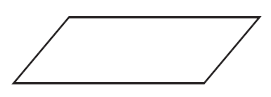 Reading input or printing output |
| Rectangle | Process / Assignment |  A processing step or assignment |
| Rhombus | Decision | 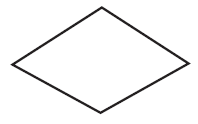 A condition with two exit paths (True/False); a backward path means repetition |
| Arrow | Flowline | 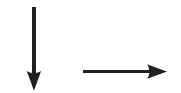 Indicates the flow/sequence of execution |
| Circle | Connector |  Links flowchart parts across multiple pages |
Worked Examples
Quick Recap
Tap a question to reveal the answer.
Which components are found inside the CPU?
Registers and the Arithmetic Logic Unit (ALU) — along with the Control Unit (CU). Hard disk, keyboard, and RAM are outside the CPU (RAM is on the motherboard, connected via buses).
What's the difference between volatile and non-volatile memory?
Volatile memory (RAM, cache, registers) needs continuous power and loses its contents when power is removed. Non-volatile memory (ROM, hard disk, pen drive) retains data even when powered off.
Arrange in order of speed: RAM, Hard Disk, Cache, Registers.
Registers (fastest) → Cache → RAM → Hard Disk (slowest). Registers are tiny and closest to the CPU; hard disks rely on slower mechanical or electronic access at a much larger scale.
Can a program execute without being loaded into RAM?
No. The CPU can only directly access primary memory (RAM). Even data from secondary storage must first be copied into RAM before the CPU can process it.
What is the key difference between a compiler and an interpreter?
A compiler translates the whole program at once and reports all syntax errors together, producing a fast stand-alone object file. An interpreter translates and executes line by line, stopping immediately at the first error — generally slower to run.
Differentiate between the linker and the loader.
The linker merges separately compiled object files and library code into one complete executable. The loader (part of the OS) then loads that executable into RAM and hands control to its starting instruction.
What are the three types of programming errors?
Syntax errors (language rules broken, caught automatically), logical errors (poor program logic, output is wrong despite running), and run-time errors (illegal actions during execution, like division by zero).
Which flowchart symbol represents a decision, and how many exit-flows does it have?
The rhombus (diamond) — it has one entry-flow and two exit-flows, one for the True branch and one for the False branch.